FOR THE LOVE OF MAKING

Keep your place.
Find your flow.

Your knitting & crochet companion for counting rows, keeping patterns close, organizing your yarn, and seeing every project through, whether it’s your first scarf or your fiftieth sweater.

Made for iPhone & iPad · Rated 4.8 on the App Store · Free to download, no ads

ON YOUR NEEDLES, ON YOUR TERMS
Green knitted sweater
A LITTLE WORK IN PROGRESS

Sunday sweater

Knitting · Sleeves

Try it out
Body
Now KnittingRow 25

Rows

24

56 rows to go

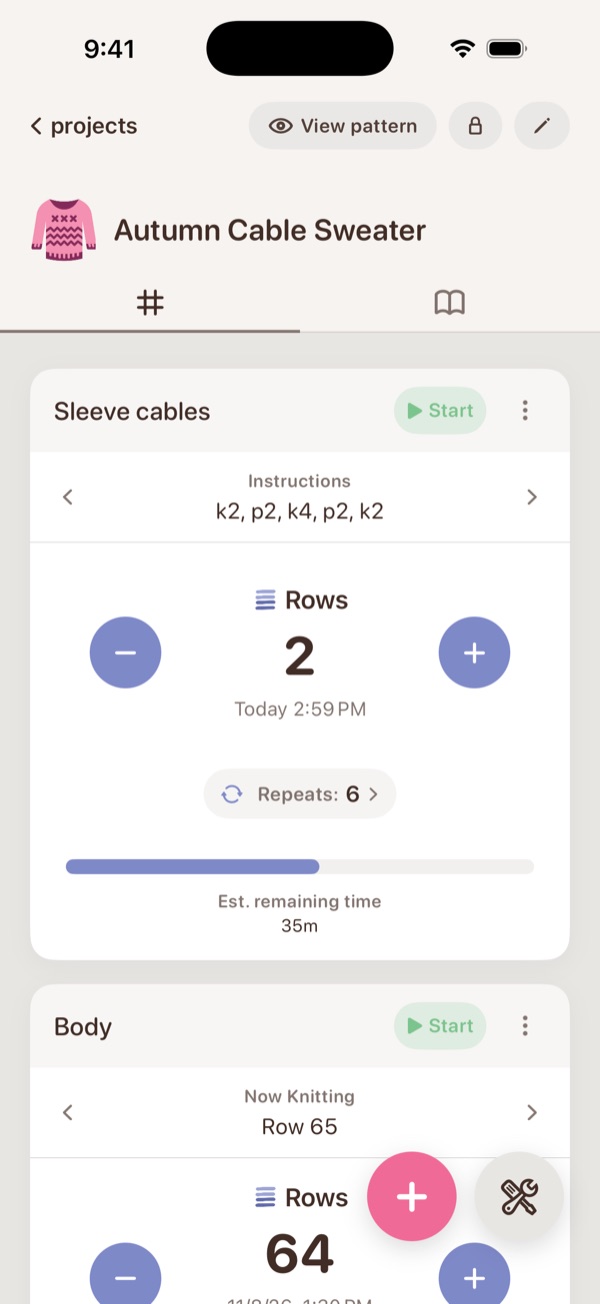
A simple counter: one tap per row, toward your goal.

An interactive preview of CozyKnit’s simple, repeat, and shaping counters

Rows & repeatsPatterns & notesYarn & projectsKnitting & crochet

LESS TO JUGGLE. MORE TO ENJOY.

A home for everything
you’re making.

A row counter, project tracker, pattern keeper, and yarn stash organizer in one knitting app. From the first cast-on to the last end woven in, keep the little details together so you can get back to the good part.

01 / KEEP YOUR PLACE

Big plans.
Little counters.

Track rows, stitches, and repeats. Give each sleeve, section, or pattern repeat its own counter, and pick up where you left off. With Pro, shaping counters handle your increases and decreases, and row-by-row instructions sit right on the counter.

Body rowsSteady stitches, happy hands24
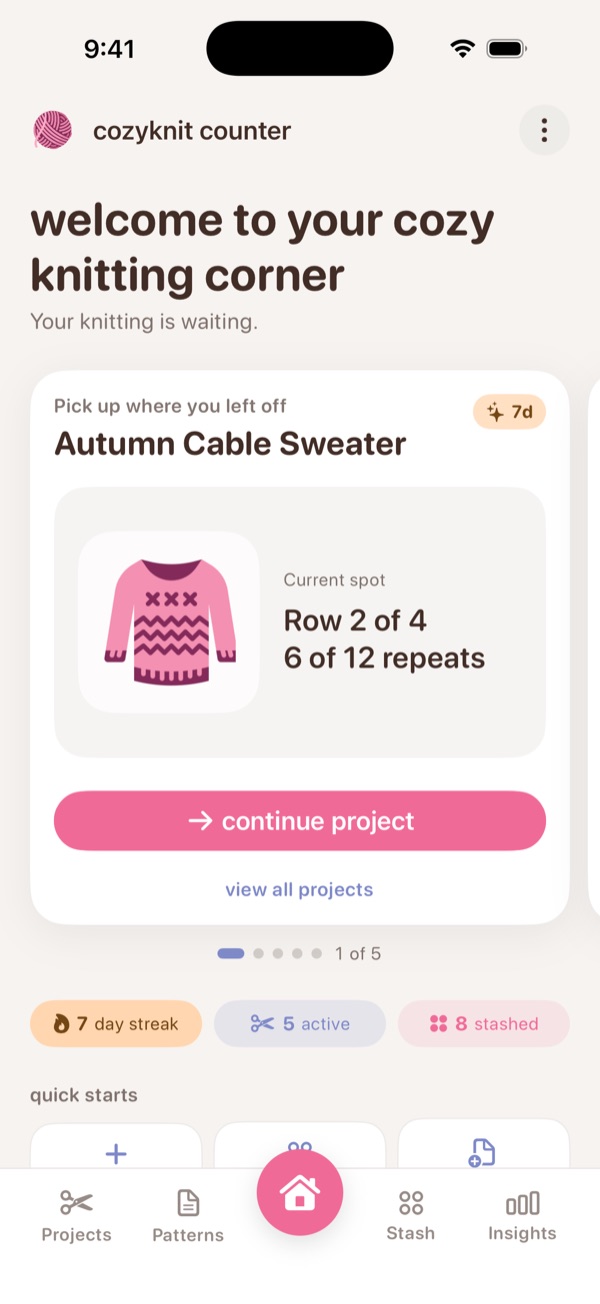
Pattern repeatA little rhythm to come back to6
02 / STAY ORGANIZEDPurple ball of yarn

Your stash,
all together.

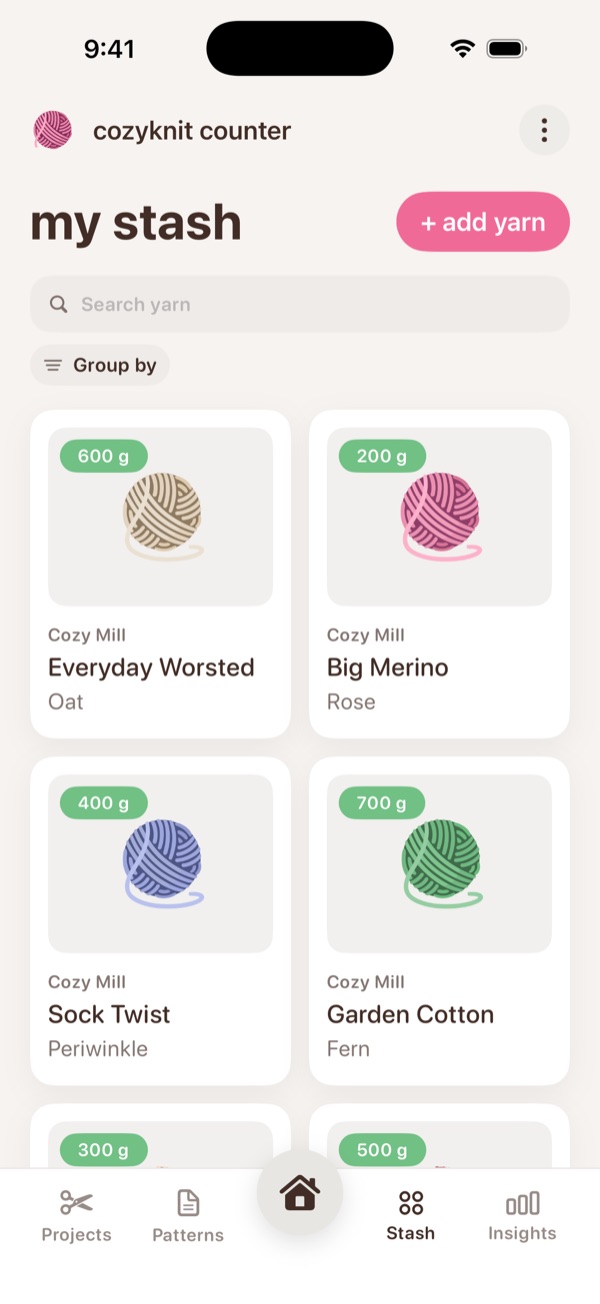
Keep yarn details in one place, see how many grams are left, and connect the yarn you’re using to the projects you’re making. Reweigh as you go and your stash keeps up.

03 / KEEP IT CLOSE

Your pattern.
Your notes. Your pace.

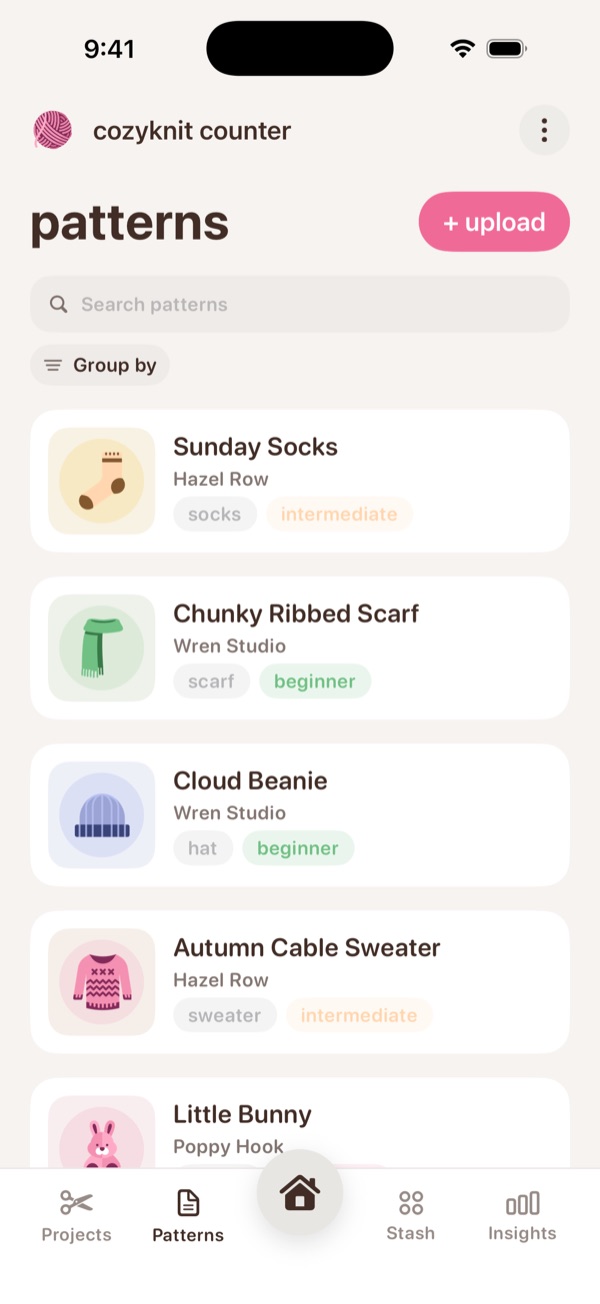
Bring in pattern PDFs and images, and find them again by category, designer, or difficulty. Annotate your PDFs, leave a bookmark where you stopped, and keep project notes nearby when a pattern needs a little reminder.

NOTE TO SELF

Start the next repeat here.
You’ve got this.

04 / MAKE ROOM TO MAKEBlue knitted scarf

Settle into
one more row.

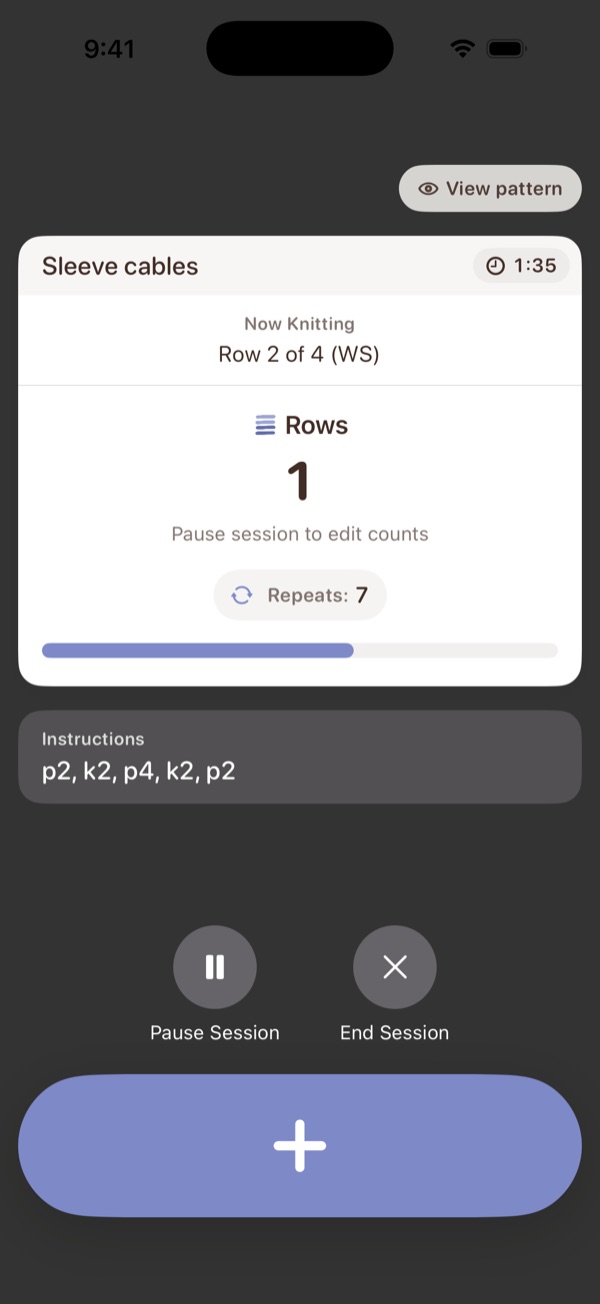
Use timed focus sessions to keep count as you work. One big button, a screen that stays awake, and your pace when you’re done.

05 / COUNT FROM ANYWHERE New

Count right from
your Lock Screen.

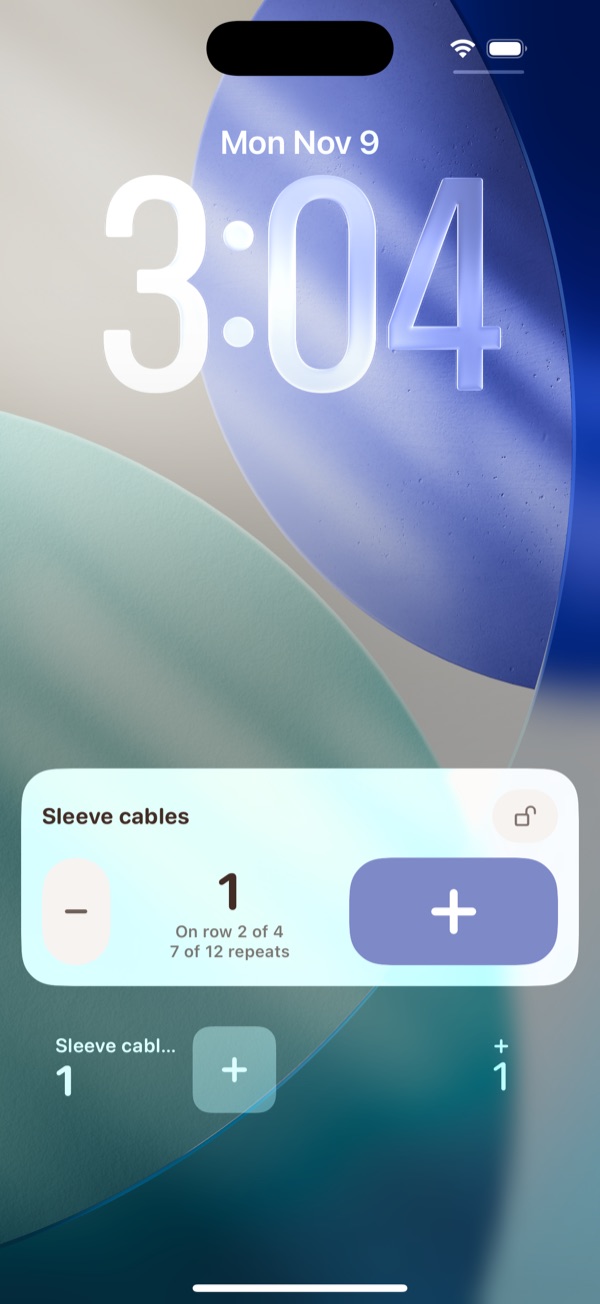
Add a row without opening the app. Home Screen widgets and a Lock Screen card show your count and your place in the repeat, with a big plus button for busy hands. One tap locks it, so a pocket can’t count for you.

06 / SEE HOW FAR YOU’VE COME

Little rows
add up.

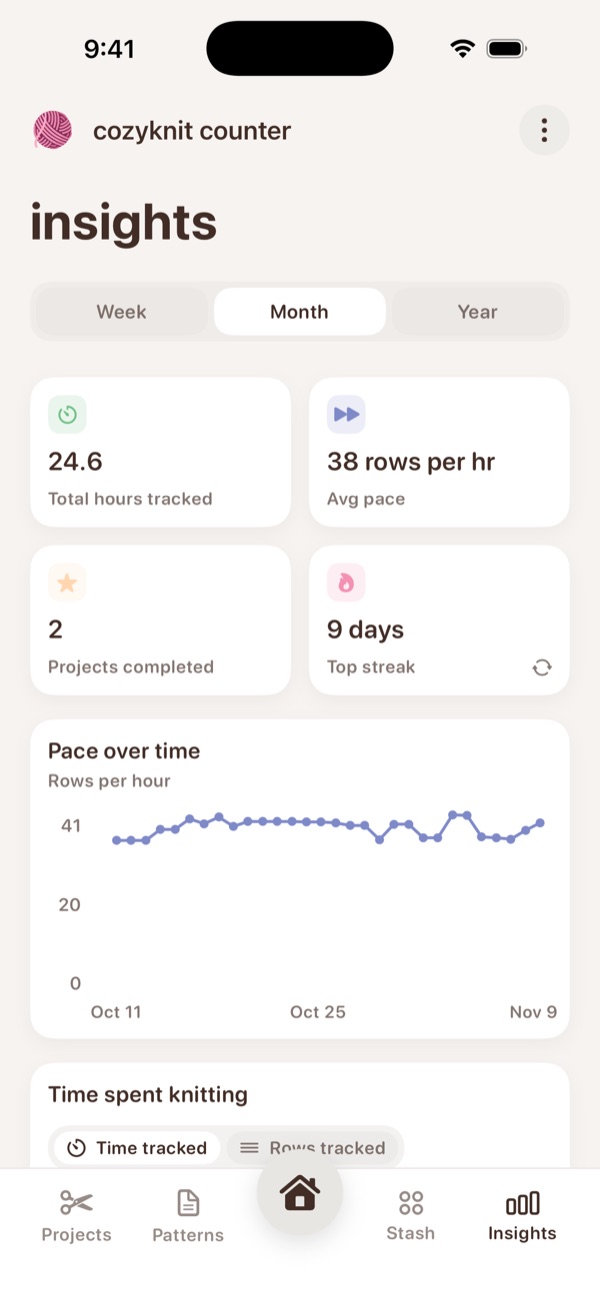
Insights show your hours knitted, rows per hour, and longest streak, week by week. Pro

A little help with the details. A free unit converter, plus gauge, increase and decrease, and yarn substitution calculators with Pro. Ravelry lookup fills in your yarn details.

Meet your new project companion

JUST LEARNING? START HERE.

New to knitting?
We’ll keep count.

Learning to knit is a lot to hold in your head: which row you’re on, which side is facing you, when the next decrease comes. CozyKnit is a knitting app for beginners that holds all of that for you, so you can focus on your stitches.

  1. STEP 1

    Start a project

    Name it, then add your pattern, your yarn, and your needles or hook. Everything for that project lives in one place.

  2. STEP 2

    Tap after every row

    Add a counter and tap plus at the end of each row. Put your knitting down for a week, and your place is right where you left it.

  3. STEP 3

    Learn as you go

    Not sure what RS means, or which needle to use? Our free knitting guides and charts explain the numbers in your pattern.

A PEEK INSIDE

Take a little
look around.

Every project keeps its counters, pattern, yarn, needles or hooks, notes, and photos together. Syncs with iCloud across your iPhone and iPad.

Pink ball of yarn

KNITTER? CROCHETER? WELCOME IN.

However you make,
make yourself at home.

A first scarf, a complicated sweater, a blanket you keep coming back to. There’s room for your kind of making here. Crochet projects get hook sizes, stitch presets like single, half double, and double crochet, and “Now crocheting” on every counter.

Find your flow

FREE TO START. NO ADS, EVER.

Everything you need,
and a little extra.

The everyday counting is free. CozyKnit Pro adds tools for bigger, more complicated projects, whenever you’re ready.

FREE

All the essentials

  • Unlimited projects and counters
  • Row counters and row repeat counters
  • Home Screen and Lock Screen widgets
  • Focus sessions
  • Pattern upload and your pattern library
  • Yarn stash, with Ravelry yarn lookup
  • Unit converter for yardage, weight, and needle sizes
  • iCloud sync
COZYKNIT PRO

For the big projects

  • Shaping counters and build-your-own counters
  • Row-by-row instructions on the counter
  • PDF highlights, notes, and bookmarks
  • Insights and pace over time
  • Gauge, yarn substitution, and increase & decrease calculators
  • Full change log history
  • More photos per project, and more rows per tap

Monthly and yearly plans, with a 7-day free trial for eligible new subscribers. See the App Store for prices where you live.

A LITTLE HELP ALONG THE WAY

For your next
“wait, which row?”

Simple, practical guides for keeping your place and making sense of the numbers. See all guides

GOOD QUESTIONS

A few things
you might wonder.

Need a hand with something else?
Say hello

What is CozyKnit?

CozyKnit is a knitting and crochet app for iPhone and iPad. It brings row and stitch counters, pattern storage, project notes, yarn stash, widgets, and focus sessions together.

Is CozyKnit free?

Yes. CozyKnit is free to download with no ads. Row counters, repeat counters, widgets, focus sessions, pattern upload, and your yarn stash are all free. CozyKnit Pro is an optional upgrade that adds shaping counters, row-by-row instructions, PDF annotations, insights, and gauge and yarn substitution calculators.

Is CozyKnit good for beginner knitters?

Yes. Start a project, add a counter, and tap plus after each row, and CozyKnit remembers your place, even weeks later. It can also show whether you’re on a right-side or wrong-side row, and our free guides explain needle sizes, yarn weights, and pattern terms.

What’s the easiest way to keep track of rows when knitting?

Use a row counter that you tap at the end of every row. A knitting counter app like CozyKnit goes further than a clicker: it saves your count with each project, tracks pattern repeats separately from your total rows, and can count from your Lock Screen.

Can CozyKnit organize my yarn stash?

Yes. Add each yarn with its photo, weight, fiber, colorway, and grams. Assign yarn to a project and reweigh it as you knit, and your stash updates to show what’s left.

Can I use it for crochet?

Yes. Choose crochet as your preferred craft or when creating a project. You get crochet hook sizes and stitch presets, and you can track rows, stitches, and repeats for your crochet projects.

Can I count rows from my Lock Screen?

Yes. Open widget setup in CozyKnit to turn on the Lock Screen card, with big plus and minus buttons for your current counter. You can also add CozyKnit widgets to your Home Screen.

Can it keep track of pattern repeats?

Yes. A row repeat counter tracks your row within the repeat and how many repeats are done. With Pro, shaping counters handle increases, decreases, and resets, like every 6th row for sleeve decreases.

Can I keep my patterns in the app?

Yes. You can upload pattern PDFs and images and keep them with your projects. Annotation tools are available for PDFs with Pro; pattern images are display-only.

Does it work on iPhone and iPad?

Yes. CozyKnit is available on iPhone and iPad, with iCloud sync for your project data across your devices.

Does Ravelry lookup download a pattern?

No. Ravelry lookup helps fill in yarn details when you add yarn to your stash. You still need to get your pattern from its original source and upload your own pattern file.
YOUR NEXT PROJECT IS CALLING

Let’s make something cozy.

Get CozyKnit for iPhone & iPad